MRI Guard — Press kit
The iPhone and Apple Watch alarm that warns before a device gets too close to an MRI magnet.
iPhoneApple Watch10 languagesVersion 1.3 · 30 Sept 2026

In one sentence
MRI Guard turns the magnetometer in an iPhone or Apple Watch into a personal alarm for the one hazard every MRI department knows and still gets caught by: a phone or watch carried too close to the scanner.
50 words
Near an MRI magnet a phone or watch is wiped, damaged or pulled from the hand in a fraction of a second. MRI Guard measures the magnetic field around the device and sounds a loud alarm as it climbs toward the danger zone — on the iPhone from the pocket, on the Apple Watch all shift long.
150 words
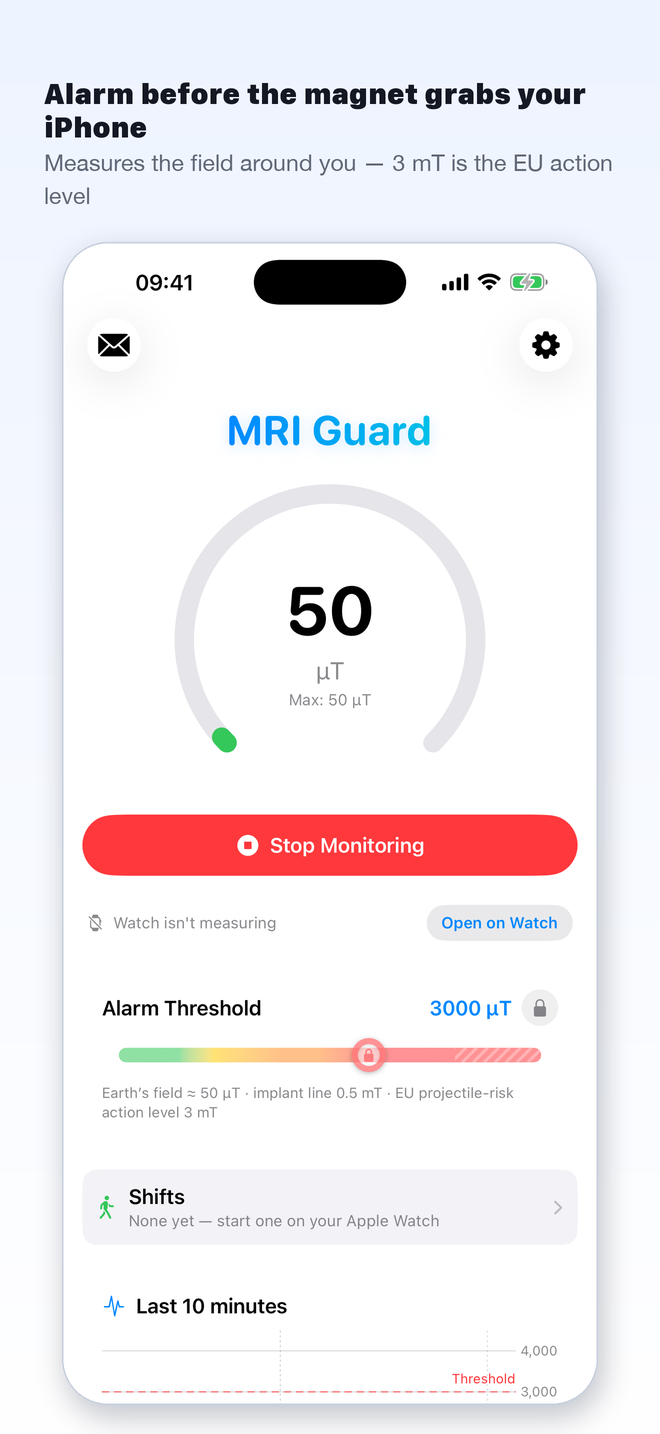
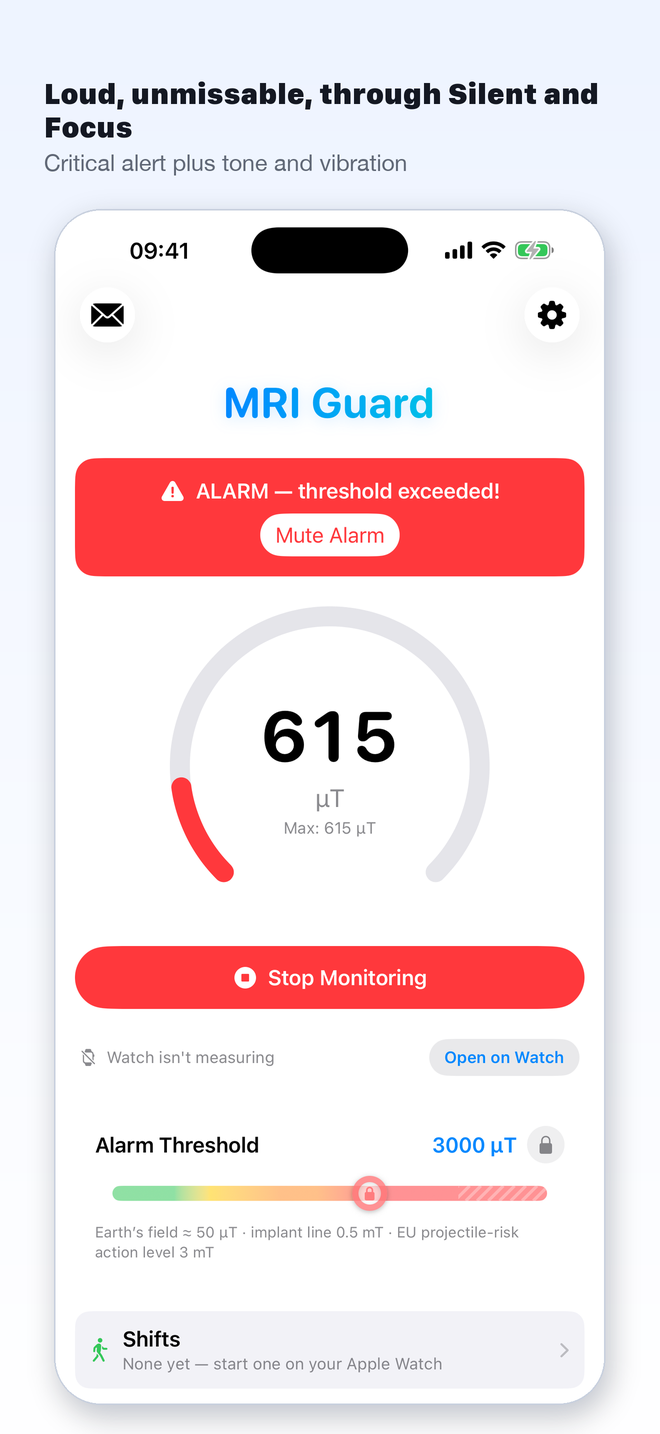
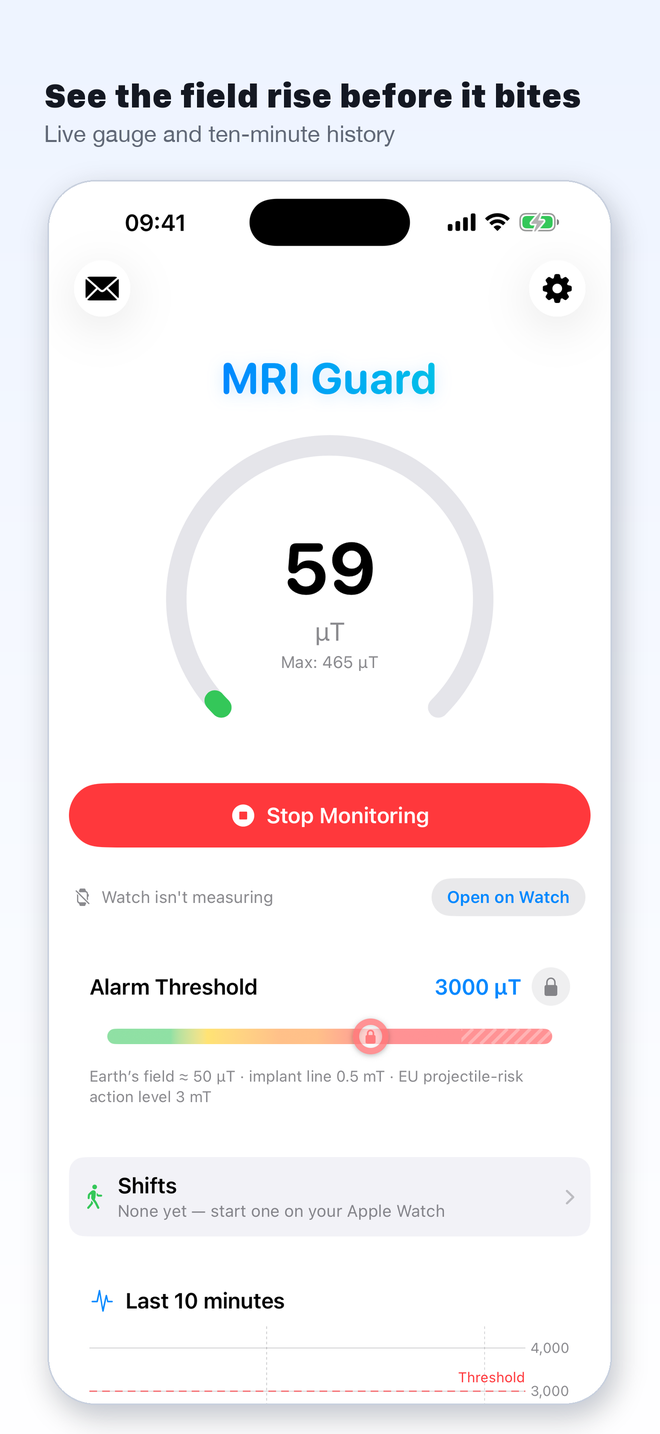
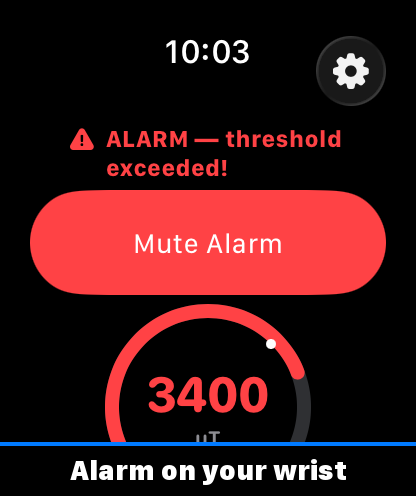
MRI Guard is a magnetic-field alarm for people who work around MRI scanners: radiographers and technologists, radiologists, nurses, physicists and service engineers. The app reads the magnetometer built into every iPhone and Apple Watch and sounds a loud, unmistakable alarm — as a critical alert, through Silent and Focus — when the field crosses a threshold. The default is 3 mT, the EU action level for attraction and projectile risk (Directive 2013/35/EU); it is adjustable from 0.1 to 5 mT.
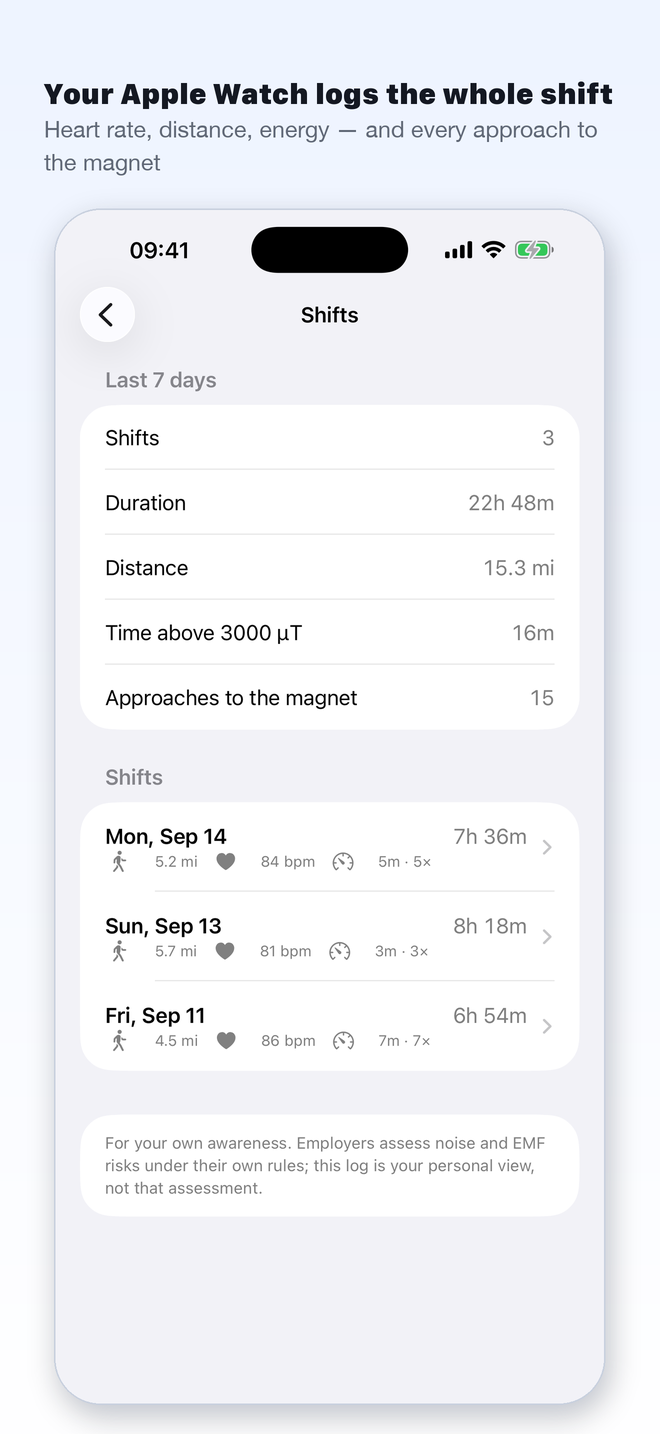
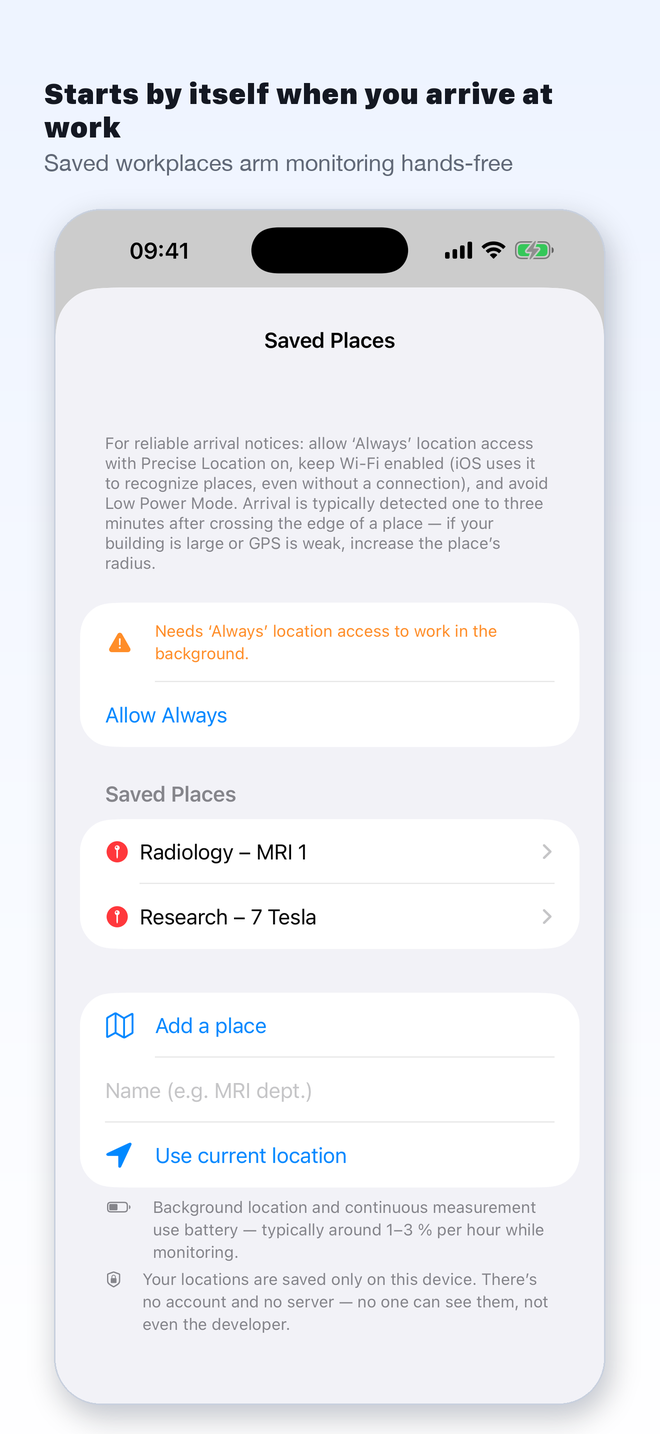
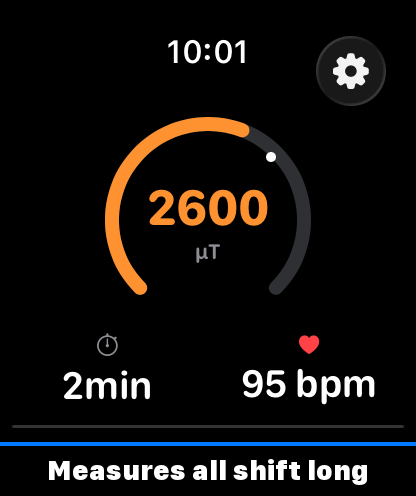
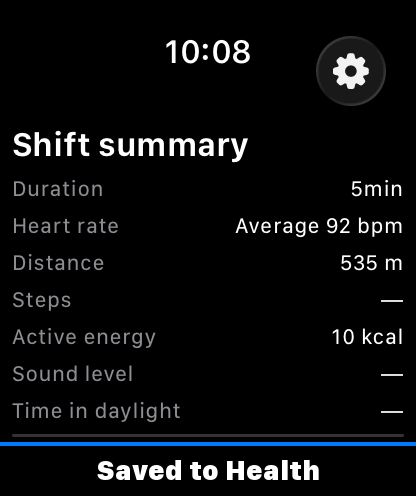
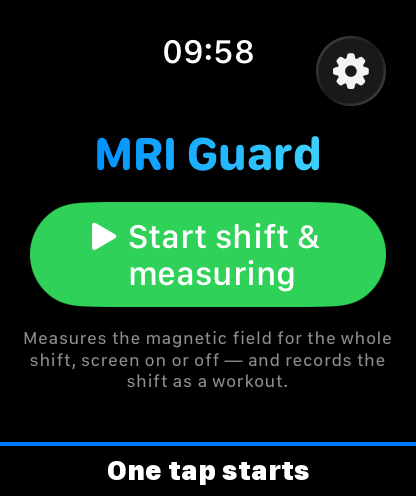
On the iPhone, monitoring starts by itself on arrival at a saved workplace and keeps measuring from the pocket; workplaces and settings can be shared with colleagues by link or QR code. On the Apple Watch, an MRI shift is a real workout: the field is measured on the wrist for the whole shift, screen on or off, and the shift is saved to Health with heart rate, distance, energy and a log of every approach to the magnet.
MRI Guard is built by an MR physicist as a hobby, outside his work at Siemens Healthineers — a private project, independent of his employer — and is deliberately honest about its limits: an awareness aid, not a certified safety device — no substitute for screening, the MR safety zones or ferromagnetic detection. Available in ten languages. One purchase, no subscription.
Auf Deutsch
Ein Satz
MRI Guard macht aus dem Magnetometer in iPhone und Apple Watch einen persönlichen Alarm für die eine Gefahr, die jede MRT-Abteilung kennt und die trotzdem immer wieder passiert: ein Handy oder eine Uhr, die dem Scanner zu nahe kommt.
50 Wörter
In der Nähe eines MRT-Magneten wird ein Handy oder eine Uhr in Sekundenbruchteilen gelöscht, beschädigt oder aus der Hand gerissen. MRI Guard misst das Magnetfeld um das Gerät und schlägt laut Alarm, wenn es Richtung Gefahrenzone steigt — auf dem iPhone aus der Tasche, auf der Apple Watch die ganze Schicht lang.
150 Wörter
MRI Guard ist ein Magnetfeld-Alarm für Menschen, die an MRT-Scannern arbeiten: MTRA und MTR, Radiologinnen und Radiologen, Pflegekräfte, Physiker und Servicetechniker. Die App liest den Magnetometer, der in jedem iPhone und jeder Apple Watch steckt, und schlägt laut und unüberhörbar Alarm — als kritischer Hinweis, durch Stummschalter und Fokus hindurch —, wenn das Feld einen Schwellwert überschreitet. Voreingestellt sind 3 mT, der EU-Aktionswert für Anziehung und Projektilrisiko (Richtlinie 2013/35/EU); einstellbar von 0,1 bis 5 mT.
Auf dem iPhone startet die Überwachung bei der Ankunft am gespeicherten Arbeitsplatz von selbst und misst aus der Tasche weiter; Arbeitsplätze und Einstellungen lassen sich per Link oder QR-Code mit Kolleginnen und Kollegen teilen. Auf der Apple Watch ist eine MRT-Schicht ein echtes Training: Das Feld wird die ganze Schicht am Handgelenk gemessen, auch bei dunklem Display, und die Schicht landet mit Puls, Strecke, Kalorien und jeder Annäherung an den Magneten in Health.
MRI Guard stammt von einem MR-Physiker, der es als Hobby außerhalb seiner Tätigkeit bei Siemens Healthineers entwickelt — ein privates Projekt, unabhängig von seinem Arbeitgeber —, und ist bewusst ehrlich über seine Grenzen: ein Hilfsmittel zur Orientierung, kein zertifiziertes Sicherheitsgerät — kein Ersatz für Screening, die MR-Sicherheitszonen oder Ferromagnet-Detektoren. In zehn Sprachen. Einmal kaufen, kein Abo.
The story
Twenty years beside MRI magnets, dozens of patents, the German Future Prize — and still the same accident every year in every department: a colleague's phone or watch pulled into the scanner. Apple put a magnetometer into every iPhone and Watch; nobody had turned it into a warning. MRI Guard is one physicist's answer, measured on his own scanner and worn on his own wrist.
About the developer
Dr. David Grodzki is an MR physicist and inventor of numerous MRI patents. In 2023 he received the Deutscher Zukunftspreis, the German Federal President's award for technology and innovation. MRI Guard is his hobby project, developed outside his work at Siemens Healthineers and not affiliated with his employer, built and tested at the scanner. He speaks about the physics of stray fields, what a smartphone magnetometer can and cannot do, and why the App Store's rules for a Watch app took two rejections to get right.
Facts
- Name
- MRI Guard
- Platforms
- iPhone (iOS 17+), Apple Watch (watchOS 10+)
- Android
- On the roadmap; initial technical evaluation completed. No release date yet — reliability has to be verified across manufacturers and models first. Statement below
- Current version
- 1.3, released 30 September 2026 (1.0: 12 September 2026)
- Price
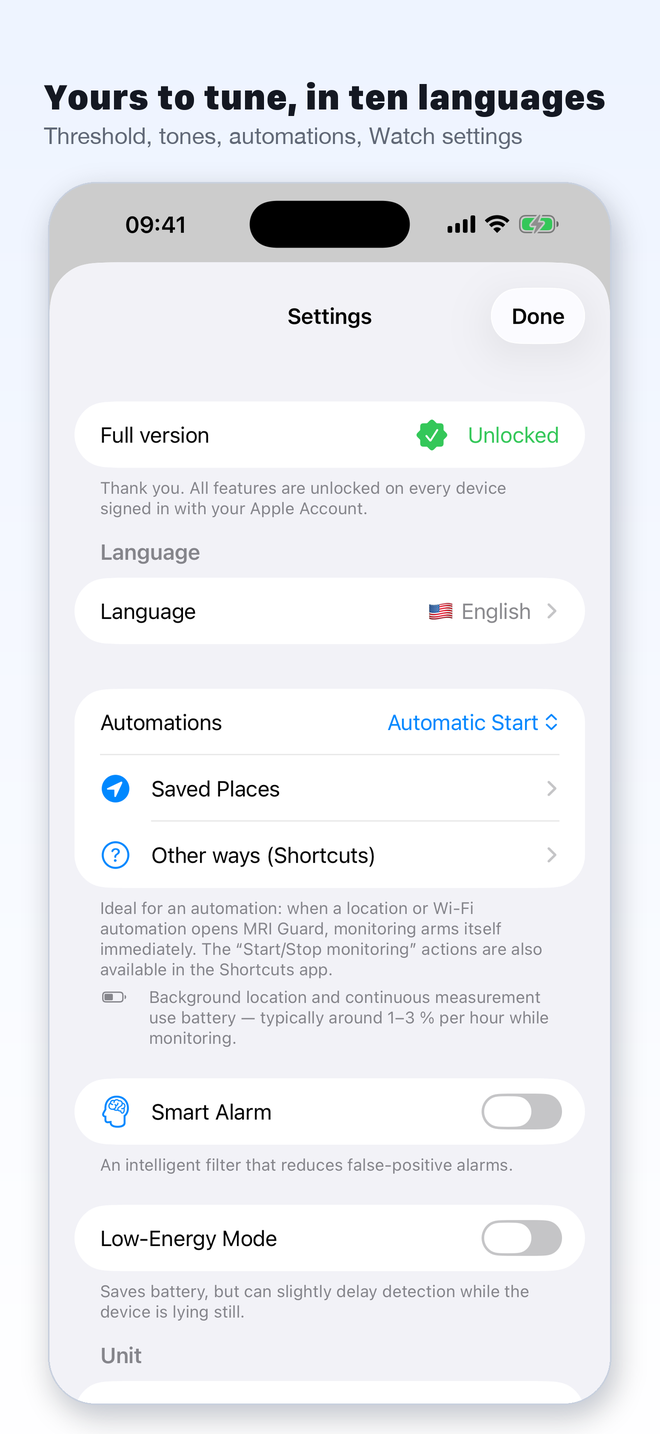
- Free: live reading, gauge, chart. Full version (alarm, automations, Apple Watch, Shortcuts): one-time purchase, no subscription. Introductory price until 12 November 2026.
- Languages
- English, German, French, Spanish, Italian, Portuguese (Brazil), Chinese (Simplified), Korean, Japanese, Arabic
- Default threshold
- 3 mT — the EU action level for attraction and projectile risk (Directive 2013/35/EU, Annex II); adjustable 0.1–5 mT
- Sensor
- The device's own magnetometer; uncalibrated, saturates around 4 mT — both disclosed in the app
- Alarm
- Sound, vibration and a critical alert that sounds through Silent and Focus (Apple entitlement granted for the field alarm)
- Apple Watch
- An MRI shift is a Walking (indoor) workout recorded with HealthKit; the field is measured on the wrist for the whole shift; saved to Health unless the user discards it at the end (saved automatically after ten minutes if left unanswered)
- Sharing
- Workplaces, alarm and notification settings can be passed on to colleagues as a link or QR code (iPhone); the recipient sees a preview, and nothing changes until they apply it. The settings travel inside the link itself — no account, nothing uploaded by the app
- Privacy
- No account, no tracking, no ads. Saved places never leave the device except inside a link the user shares. Anonymous usage statistics (TelemetryDeck) can be turned off in Settings. Privacy policy
- Developer
- Dr. David Grodzki, Germany · info@papaetfilles.com
- Links
- App Store · Product page (EN) · Produktseite (DE)
Android version
An Android version is on our roadmap, and we’ve already completed an initial technical evaluation.
Because Android devices vary widely in their hardware, magnetic sensors, and background-app behavior, building a reliable safety alarm requires extensive testing across different manufacturers and device models.
Reliability is essential to us. We won’t release an alarm that works on some phones but could silently fail on others. That’s why we’re taking the time to properly validate the Android version before making it available.
We can’t share a release date yet, but Android is firmly on our roadmap.
App icon
1024 × 1024 px, PNG.
- Rounded, transparent background — for video and slides
- Square original
Screenshots — iPhone
Click for full size (1320 × 2868). English; German versions in the ZIP.
Screenshots — Apple Watch
Why it matters — three facts to quote
- An MRI magnet is never off. Its field reaches metres beyond the scanner, and it pulls on steel with a force that grows with the cube of proximity — the last half metre is where a phone leaves the hand.
- The EU sets 3 mT as the action level for attraction and projectile risk near strong magnets (Directive 2013/35/EU). Every iPhone and Apple Watch carries a sensor that can read that field — nobody had wired it to an alarm.
- Hospital MRI shifts are walking-heavy — six to ten kilometres a day in the literature — in loud, windowless rooms. That is why the Watch records the shift as a workout with the field log inside it.
Usage guidelines
Texts, screenshots and the app icon on this page may be used freely in coverage of MRI Guard; please use the icon unaltered. Please write the name as MRI Guard (two words). MRI Guard is not affiliated with any MRI manufacturer. Review codes for the full version are available on request.